
Understanding the wifi777 Desktop Experience
Our Desktop Site consolidates every service we offer into one cohesive interface. Unlike mobile apps that optimize for touch and limited screen space, our desktop environment gives you side-by-side panels for game information, account history, and transaction logs. We render images and video streams at higher resolution, and we provide full-keyboard shortcuts for power users who want to navigate faster.
The left sidebar on our wifi777 Desktop Site lists all game categories: football and Liga 1 markets, live-dealer tables (blackjack, roulette, baccarat, Dragon Tiger), slot games like Aviator and Sweet Bonanza, and esports tournaments including Mobile Legends and Free Fire. You can filter by sport, live status, or payment type, making it easy to jump to your preferred entertainment without scrolling through dozens of options.

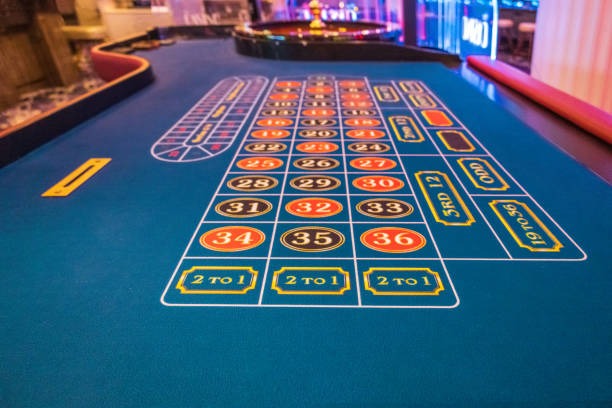

Desktop-First Game Selection
On the Desktop Site, we separate football betting from casino gaming into distinct zones. Football users see game information for Liga 1, Piala AFF, and international tournaments, with live commentary and match statistics updating in real-time. Casino users access our live-dealer studios, where we broadcast multiple tables simultaneously from our studio in the region. Slot enthusiasts browse titles like Gates of Olympus, Fortune Tiger, and Mahjong Ways with full game descriptions and RTP information displayed before you play.
We also provide esports markets for users interested in Mobile Legends, Free Fire, and PUBG Mobile tournaments. Our Desktop Site displays team rosters, match schedules, and historical performance data so you can make informed choices. All categories refresh continuously without requiring a page reload — our platform uses websocket technology to push updates instantly to your browser.
- RTP (Return to Player)
- A percentage figure indicating how much of total stakes a slot game returns to players over its lifetime. We display RTP for every slot on our Desktop Site so you know the game's long-term payout structure.
- Live Studio
- Our multi-camera broadcast facility where professional dealers run tables in real-time. You interact with live dealers via chat and betting interface on the Desktop Site.
- KYC Verification
- Know Your Customer checks that we perform once during registration. We ask for ID documents and address proof so we can secure your account and comply with local law.
Account Management and Security on Desktop
Our wifi777 Desktop Site places your account control centre at the top of the interface. You can view your balance, deposit history, and pending withdrawals in a single glance. We provide a dedicated security panel where you set two-factor authentication, review login history from all devices, and flag suspicious activity. If you notice a login from an unfamiliar location, we let you log out all other sessions instantly from the Desktop Site.
Deposits on our Desktop Site support multiple payment methods: e-wallets including DANA, e-wallet, mobile banking, local payment, and online payment, as well as bank virtual accounts from e-wallet, mobile banking, local payment, and online payment. We also accept e-wallet codes for quick processing. Each deposit request enters our review queue and typically completes within a standard verification window. Our Desktop Site displays the status in real-time, so you know when funds have arrived.
Withdrawals follow a similar flow. You request a payout to your registered e-wallet or bank account, and our team reviews the request during business hours. We confirm that your withdrawal account matches your account details and that you have sufficient balance. Once approved, the funds typically reach your bank or e-wallet within a standard processing window. We provide a withdrawal tracker on the Desktop Site so you can monitor the request step-by-step.
Payment Processing on Desktop
When you initiate a deposit or withdrawal from our Desktop Site, we guide you through a step-by-step process. For e-wallet deposits, you enter an amount and confirm using your mobile banking, local payment, or online payment app. For bank transfers, we generate a unique virtual-account number tied to your account, and you send the exact amount to that number from your own bank app. Our system matches your transfer automatically and credits your account within minutes of receipt.
We process all payments through verified gateways and encrypt transaction data end-to-end. Our Desktop Site displays a confirmation receipt for every deposit and withdrawal, and you can download or print these for your records. If a payment fails or times out, our Desktop Site alerts you with the reason, and we guide you to retry or contact support.
Game Mechanics and Rules on the Desktop Interface
Each game category on our Desktop Site explains its rules and odds clearly. For football betting, we show match details, team statistics, and available markets (1X2, Over/Under, Asian Handicap). For live-dealer games, we display the table rules, minimum and maximum bets, and the current dealer's name. For slots, we provide the paytable, special symbols, and bonus round descriptions. We never hide important information behind clicks — everything you need to play confidently is visible before you commit funds.
Our Desktop Site also includes a game library where you can explore titles without betting. You can load demo versions of most slots to learn the mechanics, watch live-dealer table streams without joining, and review historical football results from Liga 1 and Piala AFF without placing a wager. This lets you build familiarity with our platform before you fund your account.

Customer Support and Help Resources
Our Desktop Site includes a live chat widget in the bottom-right corner, available during support hours. Our team responds in English and can assist with account questions, payment issues, or game explanations. We also maintain a searchable help database within the Desktop Site that covers common topics: how to reset your password, how to update your KYC documents, how to dispute a transaction, and how to request account closure if needed.
If you experience a technical issue on our Desktop Site — such as a page not loading or a live-dealer feed freezing — we recommend clearing your browser cache and reloading the page. Most issues resolve on first refresh. If the problem persists, contact our support team via the chat widget or email, and we'll investigate your browser and network configuration.